Why is my fabric not feeding?
If fabric stays in one place, stop sewing rather than letting the needle repeatedly perforate the same spot.
Confirm the presser foot is lowered
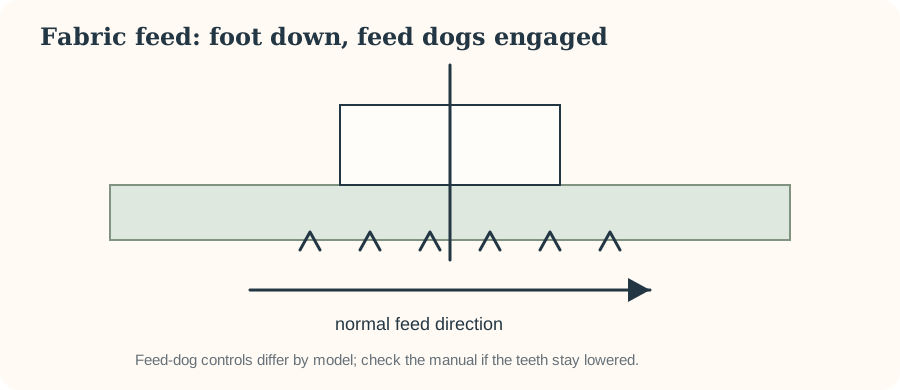
The presser foot needs to hold the fabric against the feed dogs for normal feeding. Some machines warn when sewing with it raised, but not all do.
Check the feed dogs
Many machines allow feed dogs to be lowered for free-motion work or darning. If they were lowered, return them to the normal sewing position according to the manual; some mechanisms re-engage after a handwheel revolution.
Avoid starting on an unstable edge
Very soft or fine fabric can be pushed into the needle-plate opening at the first stitches. Start slightly in from the edge, hold thread tails if your machine instructions recommend it, or use an appropriate straight-stitch setup/stabilizer.
Do not force it
If the handwheel is unusually difficult to turn, stop and inspect for tangled thread or an obstruction. Forcing the motor can make a simple jam worse.
Work from the visible feed system outward
If fabric does not advance, first stop pushing it through. Brother's support material lists lowered feed dogs, threading errors, stitch-length settings, damaged needles, thread tangles, unsuitable needle/thread/fabric combinations and incorrect presser feet among possible causes on applicable models.
Check that the feed dogs are engaged
Machines that allow feed dogs to be lowered for free-motion work may not feed normally until they are raised again. The control and re-engagement procedure are model-specific; on some machines the feed dogs do not rise fully until the handwheel turns or sewing begins.
Check presser foot and pressure
Lower the presser foot before sewing. If your machine has adjustable presser-foot pressure, use the manual's guidance rather than guessing; Brother notes pressure as a possible feed variable on models that provide adjustment. Not every machine has this control.
Look at stitch length
A stitch length set extremely short or at zero can make the fabric appear not to travel. Return to an ordinary straight-stitch baseline and test. Confirm that a special darning plate or other accessory is not covering the feed dogs.
Clean accessible lint according to the manual
Lint around the feed dogs and bobbin area can interfere with normal operation. Switch off/unplug as directed and follow the manufacturer's cleaning instructions. Do not add oil unless the manual for your exact model tells you to.
Separate “won't feed” from “can't climb a bulky seam”
If ordinary two-layer fabric feeds correctly but a thick intersection stalls, the problem is different. Keep the foot level with an appropriate technique/accessory and sew slowly; do not pull the fabric or force the handwheel through resistance.
Know when service is appropriate
If feed dogs are engaged, setup is correct and ordinary fabric still will not move—or the mechanism makes abnormal noises—use model-specific support or service rather than dismantling the feed system.