How to print and assemble PDF sewing patterns
PDF patterns are convenient, but one printer setting can change every dimension. Scale verification comes before cutting or taping dozens of pages.
Read the pattern-specific printing instructions first
Download and keep the instruction file as well as the pattern pieces. Different designers supply different page sizes, layers, tiling systems and copyshop formats. Simplicity’s current PDF guidance, for example, includes Letter, Legal, A4 and A0 formats on many patterns.
Print at actual size
For tiled home-print files, disable options such as “fit to page” unless the designer explicitly says otherwise. Simplicity instructs users to print at Actual Size/100%. Printer dialogs vary, so verify the percentage rather than relying on a preview that merely looks right.
Print the calibration page before everything else
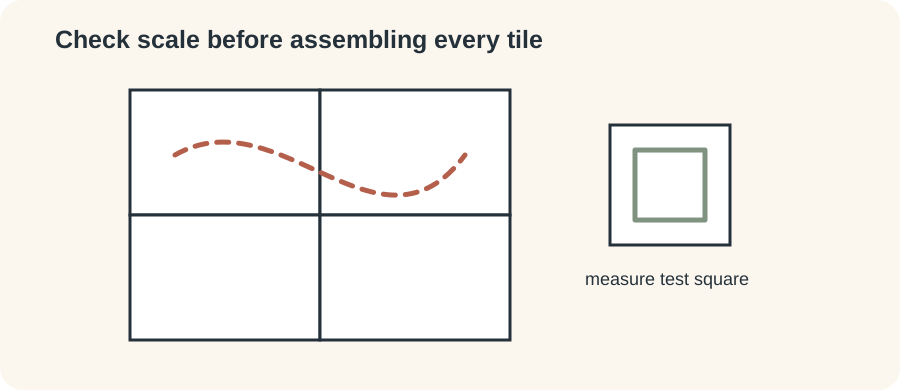
Find the test square or registration mark, print the relevant page and measure it with an accurate ruler. Simplicity uses a one-inch calibration mark on its tiled files. If the test is wrong, solve the printer setting before printing the remaining pages.
Use layers carefully
Layered PDFs can hide sizes you do not need. Keep every size required for grading between sizes visible, plus any shared markings or text layers required by the designer. Do not assume the thinnest line on screen is expendable.
Assemble using the supplied map
Lay out pages according to row/column labels or the pattern’s tile map. Trim or overlap exactly as instructed, align registration marks and tape without stretching the paper. Check a long straight line across several tiles before committing to the entire sheet.
Protect the master
Consider tracing your chosen size rather than cutting a multi-size master, particularly if you expect to use another size later. Store the original PDF and instruction file so you can reprint damaged pieces.
Common PDF pattern failures
If the calibration square is wrong, do not compensate by measuring and redrawing every pattern piece. Fix the print scaling. If only some pages appear misaligned, check that the printer has not switched paper size or orientation and that every page was printed with the same scale. Browser PDF viewers can expose different controls from dedicated readers, so follow the designer’s recommended workflow where given.
After assembly, inspect circles, grainlines and cutting lines that cross tile boundaries. They should meet smoothly. A small tiling error repeated across many pages can distort a large garment piece. If you use a projector or copyshop A0 file instead, calibration is still essential—the absence of home tiling does not remove the need to verify scale.
Ready to practise with a downloadable PDF pattern?
Winslet’s sells digital sewing patterns and currently provides formats including A4, US Letter, A0 and projector files. Sewing Skillbook has not independently tested its pattern files or instructions, so check the current product details before purchasing.
Reader discount: Use code SEWINGSKILLBOOK for 10% off at Winslet’s. The discount is provided by Winslet’s and may be subject to its current terms.